
The detail you drive with.
The specification behind it.
Start with the design. Then bring the materials, controls and original equipment together in one clear specification.
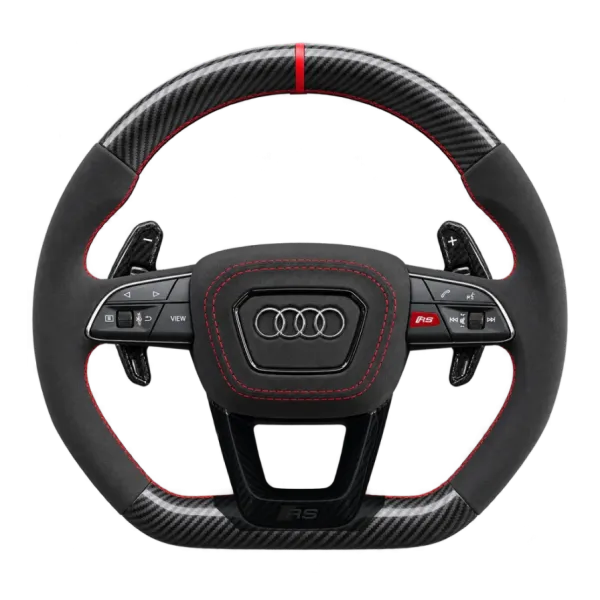
Choose the wheel.
Then the finish.
Individual wheels have different shapes and control layouts. Choose the product first, then customise it in the cabin view.
- Main surface & grips
- Compare the offered carbon appearance, smooth leather and grip materials. The screen shows your selected look; confirm the actual material specification before supply.
- Independent colours
- Keep stitching, centre ring, button accents, paddles and trim in the same specification. A colour shown on a screen is an appearance reference.
- Cabin context
- The product cabin helps you judge the look. It does not identify your vehicle, measure the steering column or establish compatibility.
A matching shape
is the beginning.
The vehicle generation and equipment fitted now determine which hardware can be considered. A styling name alone cannot answer that.
- Vehicle identity
- Keep the make, exact model, generation, body, production phase and driving side with the request. A registration or model year alone does not settle the wheel specification.
- Airbag & original controls
- Confirm the exact airbag module, cover, connections and retained original controls with the supplier and a qualified installer. A cover choice is not approval of an airbag system.
- Heating, sensors & displays
- Record heating, assistance or touch sensors, paddles, drive-mode controls and any selected display. An offered visual option does not establish that it will function on your car.
Keep the choices.
Confirm the complete build.
Save the configuration offered by your chosen builder. Review the exact product, vehicle and parts together before agreeing an order.
- Keep your basket
- Save your exact wheel choices and entered vehicle details to the private basket for up to 24 hours. Return through its product-specific edit link to continue. The saved build stays unpriced for review.
- Download a separate copy
- A local specification or image download stays on your device until you share it. Saving or downloading a build does not send a fitment enquiry, reserve stock or create an order.
- The final proposal
- Confirm the finished materials, retained functions, supplied components, installation requirements, total, delivery and support in writing before payment.
Show what is fitted now.
Keep a straight-on photo of the wheel fitted now, a wider dashboard view and the equipment details you know. Share only what is needed for the specification review.
Before you choose.
Does a wheel with the same badge fit my car?
The badge and appearance do not establish compatibility. The exact wheel, vehicle generation, airbag, connections and original functions need review together.
Will heating and assistance functions be retained?
Confirm each function for the exact hardware and car. Selecting a visual option does not establish the required sensors, wiring or software support.
Can every wheel be previewed in my own photo?
Each builder states which photo tools are currently available. Cabin views and local image exports remain separate from an available private own-car preview.
Does downloading my basket send it to POISD.?
No. A local image or specification export downloads to your device. Use the contact route to discuss the build and agree how to share it.
Choose the detail.
Keep the specification.
Explore the range, record your choices and confirm the complete proposal before an order.